
Free browser beta · Opens Microsoft Publisher .pub files
Publisher is gone. Your .pub files aren’t.
Microsoft removed Publisher from Microsoft 365 in October 2026. BrochureBoss opens your old .pub files in your browser as layouts you can edit: text, pictures, colors and positions. WordArt, some spacing and vector clip art don’t come across, and it tells you exactly what it skipped. Free during the beta.
Free account needed to import your own files. Support for the boxed versions of Publisher ended October 13, 2026. Dates from Microsoft.
A real .pub import
Camp cabin signs made in Publisher: the word “cabin” with a 600-point number under it.
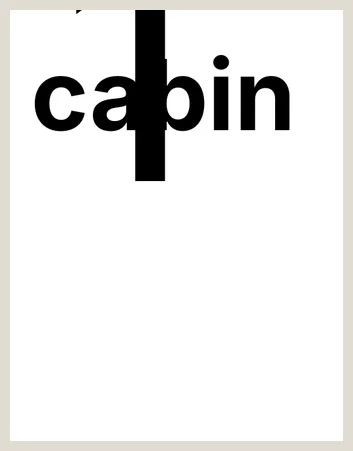
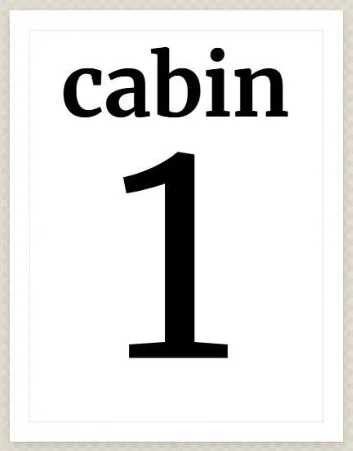
Close, not pixel-perfect: the original font isn’t installed, so a similar face stands in, and one click on “Shrink that text to fit” tidied the big numbers.
What it does
One app that runs in your browser today. A downloadable desktop version is planned for early 2027.
-

Opens your .pub files
Import a Publisher file and it converts to a .bboss you own. Text, pictures, and layout come across editable, so you start from your work instead of a blank page.
-

Text that flows between boxes
Link one text frame to the next and your story pours through it, onto the following page if that’s where the chain goes. Resize a column and the text redistributes.
-

Mail merge from a spreadsheet
Load a CSV, drop your fields into the layout, and run off postcards, letters, or a sheet of mailing labels. Step through the records before you print.
-

Master pages
Put your letterhead, footer rule, and page numbers on a master and they repeat on every page. Move pages around and the numbers keep up.
-

Real type control
Wrapping text frames, a font picker, bold and italic mid-sentence, alignment, line and letter spacing. The things you expect from a layout program.
-

Tables
Price lists, schedules, menus. Add rows and columns, shade a header, set the grid weight, and type straight into any cell.
-

Twelve templates
Tri-fold and bi-fold brochures, an event flyer and poster, newsletter, letterhead, business card, price list, menu, postcard, mailing labels, and a blank page. Start from one and replace the words.
-

A file that’s yours
Download any project as a .bboss file and open it again whenever you want. Your copy, on your computer, no subscription standing in the way.
-

Print-quality PDF
Fonts embed, so the printer sees what you saw. Turn on bleed and crop marks when the job runs to the edge of the paper.
What people make with it
From real estate flyers to church bulletins, restaurant menus to school newsletters. Pick a job and start from a template.
-
Real estate flyers & feature sheets
Listing flyers, feature sheets, open-house posters and just-listed postcards for agents and brokerages.
-
Small business brochures & flyers
Tri-fold brochures, flyers, price lists and letterhead for shops, trades and service businesses.
-
Restaurant menu maker
Menus, specials sheets and price lists for restaurants, cafes and caterers.
-
Church bulletins & newsletters
Weekly bulletins, folded programs and newsletters for congregations and nonprofits.
-
Event flyers, posters & programs
Flyers, tabloid posters and folded programs for fundraisers, concerts and community events.
-
School & club newsletters
Linked-column newsletters, calendars and letters home for schools, PTAs and clubs.
-
Business cards, postcards & labels
Business cards, postcards and mailing labels, printed several to a sheet or merged from a CSV.
-
Certificates & awards
Certificates and award sheets, with a list of names merged onto them from a CSV.
Why it exists
Microsoft retired Publisher in October 2026. Microsoft 365 subscribers can no longer open it, and the boxed versions no longer get updates or support. A great many flyers, bulletins, newsletters, and menus were made in it, mostly by people who aren’t designers. They learned Publisher once and got good at it.
Canva and Adobe Express are built for people who enjoy designing. BrochureBoss is built for people who just need the bulletin done by Thursday, and who want to keep the file afterward.
Leaving Publisher, step by step
Three steps, and the first one is the import.
-
Import the .pub file
Sign in, click Import .pub, and pick the file. It converts on our server and opens in the editor as an ordinary document you can edit.
What happens to your file: the original .pub is deleted as soon as the conversion finishes. Pictures from it are kept with any project you save, and the document is stored only if you save it. Details.
-
Check every page
The import tells you what came through and what didn’t. Fix the spots that need it, and re-place any clip art that couldn’t convert.
-
Keep it and print it
Save to your library, download the .bboss file so a copy lives on your computer, and print a PDF with the fonts embedded.
Straight talk: the import gives you an editable approximation, not a pixel-perfect clone. Text, pictures, colors, and positions come across well. Publisher’s WordArt, some spacing, and vector clip art don’t, and the app tells you exactly what it skipped so you aren’t hunting for it later. It beats rebuilding from scratch, and we’d rather set that expectation now than on deadline.

Pricing
Free while the browser version is in beta.
Browser beta
Free
The whole app in your browser: .pub import, your own library, .bboss downloads, and print-quality PDF.
Desktop app
Planned
A downloadable version. A free version stays free, and a paid option is planned for priority support and commercial-use extras. Pricing isn’t set yet, and beta users hear first.
Common questions
-
Will it open my old .pub files?
Yes. Sign in and use Import .pub. Your file converts to a .bboss you own, with the text and pictures editable. Expect an editable approximation rather than a pixel copy, and check each page before you print.
-
Do I have to install anything?
No. It runs in your browser, and you can install it from the browser so it opens like an app. A downloadable desktop version is planned for early 2027.
-
Is it free?
Yes, while the browser version is in beta. Desktop pricing isn’t set yet, and beta users will hear first.
Try it on this week’s flyer
Open BrochureBoss, create a free account, and import last year’s version or start from a template. Questions go to a real person at info@brochureboss.com.
Open the app